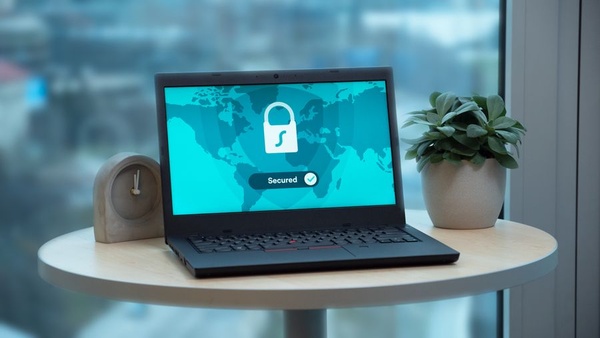

For millions of households, an old computer is still quietly doing its job on Windows 10. Mainstream support for the system ended a year ago, and many home users bridged the gap with Microsoft’s one-year consumer Extended Security Updates programme. That safety net is now running out: the consumer extension is scheduled to end on 13 October 2026. After that, a Windows 10 PC without a paid business arrangement stops receiving security patches. The computer will keep booting, but every new vulnerability discovered from then on stays open.
That does not mean panic. It means a calm weekend plan. Here is how to decide what to do with the machine in front of you.
Is it time to replace your PC, or just to rethink it?
Start by checking whether your computer can run Windows 11 at all. The PC Health Check app or the Windows Update page will tell you. Many machines from roughly 2018 onwards qualify, and for them the upgrade is free and usually takes an hour or two. Before you click, back up your photos, documents and browser passwords to an external drive or a cloud account. Upgrades rarely go wrong, but a backup turns “rarely” into “who cares”.
If your PC does not meet the requirements, you have three sensible paths:
- Replace it. If the computer is slow, noisy and older than seven or eight years, a new laptop or a refurbished business model is often the most comfortable answer. Refurbished devices with Windows 11 preinstalled cost far less than new ones and are kinder to the planet.
- Give it a second life with another system. Beginner-friendly Linux distributions such as Linux Mint or Ubuntu run well on older hardware and cover browsing, email, office work and video calls. A ChromeOS Flex installation is another lightweight option for a machine that mostly lives in the browser.
- Retire it gracefully. A PC that only plays music or shows a slideshow can be disconnected from the internet entirely. Offline, the missing patches matter much less.
What should you avoid?
The riskiest choice is simply carrying on online as if nothing changed. Unpatched systems become favourite targets over time, especially for online banking and shopping. Be wary, too, of pop-ups or emails promising “free Windows 10 support extensions” or miracle upgrade tools. These are a classic lure for scammers in exactly this kind of transition period. Get updates only through Windows Update or Microsoft’s own website.
If you sell or donate your old computer, reset it properly first. Use the built-in “Reset this PC” option with the setting that cleans the drive, and sign out of your Microsoft account so the device is no longer linked to you.
A simple checklist for this weekend
- Check Windows 11 compatibility.
- Back up everything that matters.
- Upgrade, replace or switch systems, depending on the result.
- Wipe any device you pass on.
Seen this way, the end of the extension is less a deadline than a nudge: a good moment to tidy up your digital life, secure your data and maybe enjoy a faster machine at last.